Advanced Markdown Editor
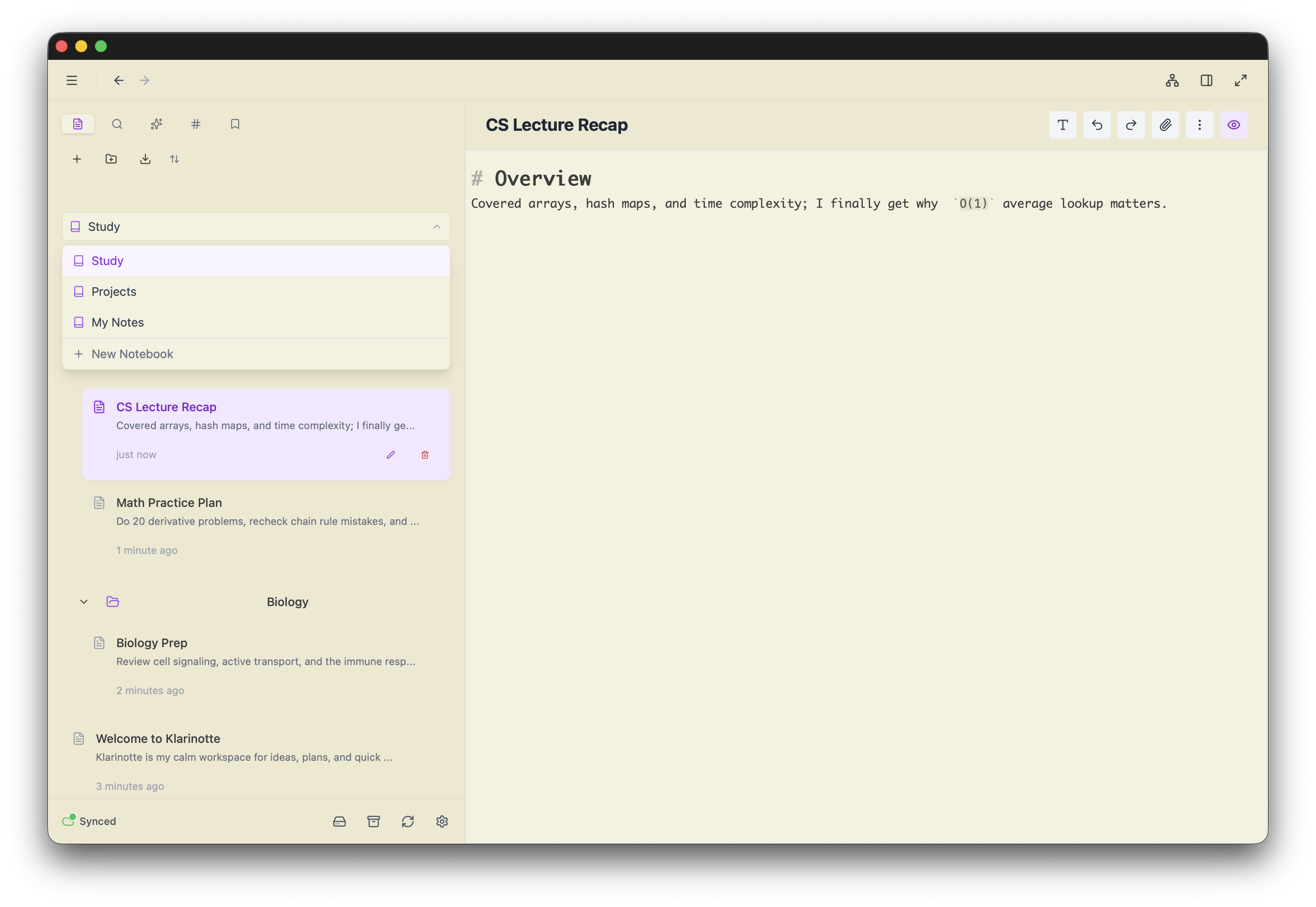
Write with a powerful CodeMirror-based editor supporting full markdown syntax, syntax
highlighting, live preview, and math equations with KaTeX.
- Live markdown preview
- Syntax highlighting
- Code blocks with language support
- Math equations (LaTeX/KaTeX)
- Auto-save and version history
Wiki-Style Linking
Connect your thoughts with bidirectional links using double bracket syntax. Build a
network of
interconnected ideas that evolve with your thinking.
- Double bracket [[syntax]]
- Automatic backlink tracking
- Link autocomplete
- Folder-aware linking
- Broken link detection
Network Visualization
Visualize your entire knowledge base as an interactive network. Discover hidden
connections and explore relationships between your notes.
- Interactive network layout
- Interactive navigation
- Filter by tags and folders
- Real-time updates
- Zoom and pan controls
Markdown & Data Freedom
Write in plain markdown—what you write is what you get. No format conversions, no hidden
processing. Export your data exactly as you wrote it. Plain, transparent, human-readable.
Your notes, your format, your control. Forever.
- Write in plain, standard markdown
- No format conversion—ever
- Export exactly what you wrote
- Import folders with attachments
- Complete transparency, zero lock-in
Hierarchical Tags
Organize notes with a flexible tagging system. Use nested tags to create hierarchies and
filter
notes by multiple criteria.
- Hashtag #syntax
- Tag autocomplete
- Nested tag support
- Tag-based filtering
- Tag statistics
Semantic Search
Search by concept, not just keywords. Too lazy to organize your notes?
Don't know the exact words you used? No problem. Find relevant information even in your
most chaotic, jotted-down, unorganized notes.
- Find notes by meaning, not just words
- Works on messy, unorganized notes
- No need to remember exact keywords
- Discover forgotten insights
- 100% local data processing. Your data never leaves your device unencrypted
💡 Because who has time to organize everything? Just search and find it.
OCR - Searchable Images
Screenshot that article? Photo of a whiteboard? Image with text? Make it searchable.
OCR isn't about extracting perfect text—it's about finding the image when you need it.
Search your visual information just like your notes.
- Search text content within images
- Find screenshots and photos by content
- Retrieve the actual image, not extracted text
- 100% local processing. Your data never leaves your device unencrypted
- Works completely offline
💡 Your camera roll becomes searchable. Find that whiteboard photo from 6 months ago.
Full-Text Search
Find anything instantly with powerful full-text search across all your notes. Support for boolean
operators and advanced filtering.
- Instant full-text search
- Boolean operators
- Tag and folder filters
- Search history
Bidirectional Text Support
Gracefully renders mixed bidirectional text without messing up the visual order of the
sentence.
Persian: meeting at 3pm — جلسه ساعت سه ✓
Arabic: team sync — اجتماع الفريق today
Hebrew: reminder — לא לשכוח v2 release
Urdu: task done — کام مکمل ✓
Divehi: remember — ހަނދާންކުރޭ (Thaana script)
جلسة الفريق standup بعد الظهر
يادداشت v2 را فراموش نکن
No-Blink Cursor
By default, the cursor does not blink. No need to search for settings to disable the
annoying
blink. Enjoy a calm, distraction-free writing experience.
Bookmarks
Bookmark entire notes or specific sections within notes. Quick access to your most important
content without searching.
- Bookmark notes
- Bookmark note sections
- Quick access sidebar
- Organize your workflow
Smart Autocomplete
Intelligent autocomplete for wikilinks and tags. Start typing and get instant suggestions for
linking notes or adding tags.
- Wikilink autocomplete
- Tag autocomplete
- Folder-aware suggestions
- Fast navigation
Works Offline
After your first visit, the app is cached and works completely offline. Write, edit, and
navigate your notes without an internet connection.
- Cached after first visit
- Full offline functionality
- Local storage
- Always accessible